PostNL
Teaching a Shipping Agent When to Stop Talking, fewer turns, less typing, faster to a label
Our first agent for creating a PostNL shipment was great at understanding what people wanted to send, but turned into a long, typed questionnaire as soon as it needed details. I designed and built a prototype in which the agent keeps the conversation for intent and context, and switches to purpose-built widgets, prefilled with what it already knows, for the structured parts.

My role
UX & conversational design, agent & front-end development, and research
Team
Product owner, business stakeholders
Timeline
1 sprint (2 weeks)
Delivery
2026
Why agentic
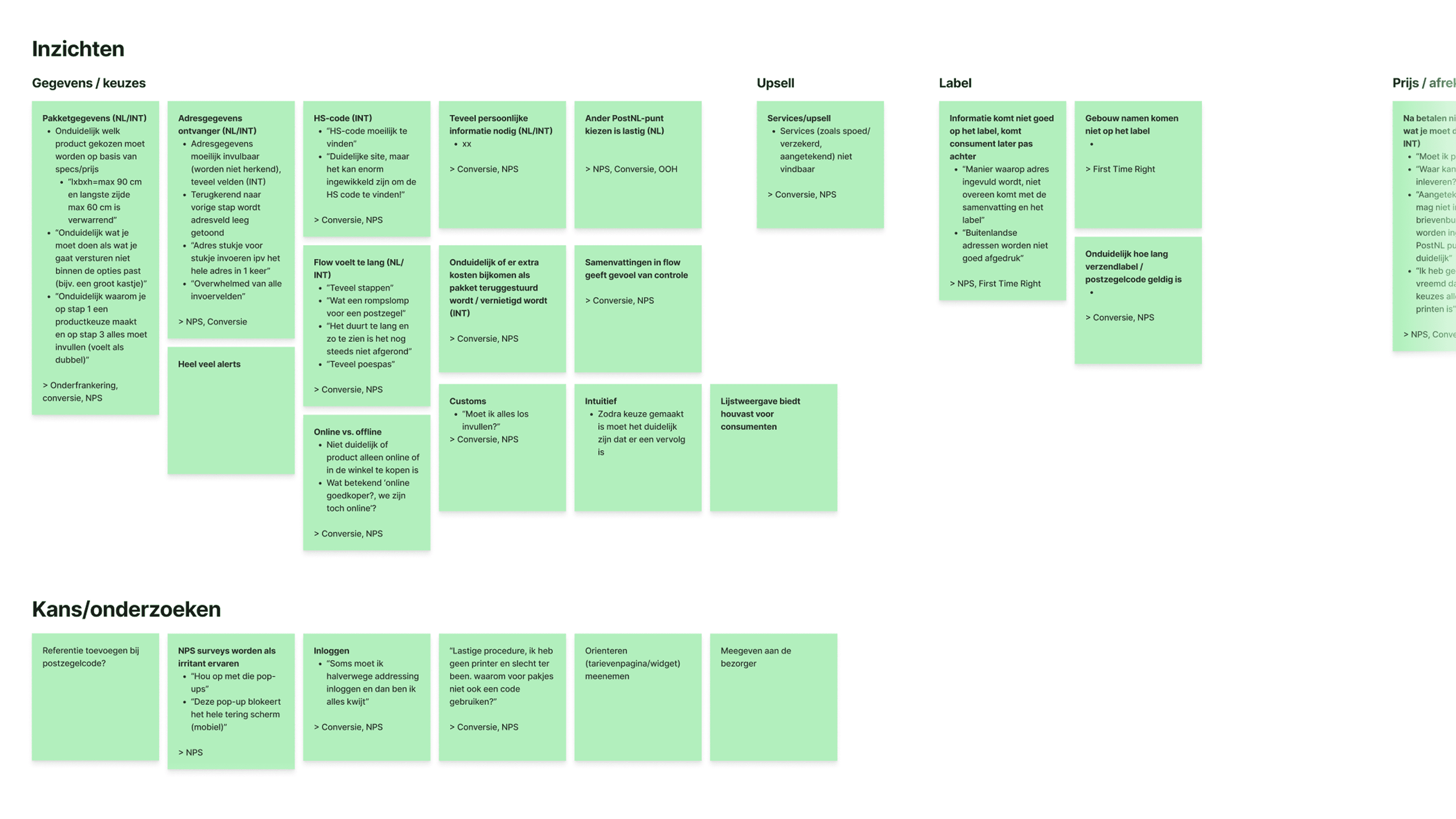
At PostNL we had been exploring agentic solutions that go beyond customer service: agents that guide people through a complicated or unfamiliar process. Creating a shipment was one of those use cases, because the current flow asks a lot of the customer:
A different product portfolio for every country. What you can send, and how, changes with the destination.
Conditional logic. the flow is action-driven, so specific products only appear if you made the right choices earlier on.
Wrong size and weight. People pick the wrong size and weight, by accident or on purpose, which leads to delays.
A complicated customs form. It asks for a lot of information, including an HS code customers have to find themselves.
Missed cross- and upsell. PostNL misses the chance to offer something relevant at the right moment.
An agent could turn this around: customers describe what they need in their own words, and we find the right product for them.
The problem we created
So that's what we built first. After a couple of tests it was clear the agent worked wonders for capturing intent and fetching additional context. But the longer the flow, the more it got in the way:
Longer flows became a questionnaire. Every missing detail meant another typed question.
Simple questions got harder. When there were only a few options, typing an answer added cognitive load instead of removing it.
More room for error. Everything went through an open text field, which left room for unnecessary mistakes.
Key insight: conversation is the right way to capture intent, but the wrong way to collect structured details.
Goal: find an interaction model that adapts the interaction, and with it the cognitive load, to what each step needs.
Constraints:
No engineering capacity, so I had to build it myself.
It had to fit PostNL's conversational-first vision and the tech stack chosen for it.
There was internal scepticism, so it had to prove it was technically possible and user friendly for customers, not just look good in Figma.
Discovery & validation
Exploring interaction models
The goal scoped the exploration well. I explored different technologies and turned them into simple visual concepts, each with pros and cons for the user and for PostNL as an organisation.
Because the topic was so technical and had to fit our architecture and vision, I mainly discussed these concepts with technical stakeholders. Our vision was conversational-first, and our tech stack had been chosen with that in mind.
Decision: stay conversational, and enhance the conversation with dynamic suggestions: interactive components that appear in the chat when they're the quicker way to answer.

First sketches
To get from concept to sketch, I mocked the happy path in Figma with our design system components. I based it on the earlier text-only agent, and added action- and form-driven components at the moments they would help most. To keep this as goal-oriented as possible, I clustered insights and learnings from earlier related research, by me and by other designers.
After a design sprint of a few days, I collected feedback from the most important people on our stakeholder map, and the flow took decent shape.

Assembling a tech stack
The goal was to test the concept with users in a realistic setting, and to prove to stakeholders that it was technically possible. That meant going beyond Figma screens: a flow-based prototype can't show how an agent decides what to do next. And there was no engineering capacity to support me.
So I assembled a stack that was capable enough to work agentically and prove the principle, yet light enough to build myself at short notice:
Figma Make for the front end. I could reuse a front-end agent I had built there earlier, and hosting was free.
Tambo for the generative UI. It was exactly the lightweight option I needed, and free for a proof of concept like this.
Claude Code to write the agent skills and work on the code alongside Figma Make.
The front-end agent in Figma Make was a coding agent I had built myself, based on our design system documentation in zeroheight. A central guidelines file tells it what to read first, and it fetches the right component, icon and layout guidelines depending on the prompt. Strict rules keep it on-brand: design system components instead of custom HTML, design tokens instead of hardcoded colours or pixel values, and no guessed icon names. Even designs I imported from Figma were treated as a visual reference and rebuilt with real design system components. That's what let me build an on-brand front end in a week, without a front-end developer.
Snippet of the front-end agent I build:
First working version
The first build session was about getting to something workable, not something finished: a first version of the flow that actually ran, with a live agent and real widgets. That gave stakeholders something to shoot at once again, but this time a working prototype instead of Figma screens, so they could react to how the agent really behaved. Their feedback, for example on whether the pricing and product logic matched how PostNL actually works, went straight into the next iteration.

Solution
Action-driven, with dynamic suggestions
After a short week of building, I had an on-brand, pixel-perfect prototype with agentic capabilities. It ran on three skills plus a set of general instructions, and let users describe what they were shipping in their own words.
When users gave enough information upfront, the agent moved straight on. When they didn't, the follow-up questions went beyond conversation: the agent picked the interaction that fitted the need, like tappable options for a simple choice or a short form for detailed input. Typing was always still possible.
Take: "I want to send a pair of sneakers to my sister in Berlin."
That settles the destination, and the item says enough to estimate size and weight.
The agent states both assumptions in one sentence, then goes straight to the one thing still open, how fast it should arrive, with a delivery-time widget.
Two demo flows with different prompts:
Full concept explained in slides:
Pre-defined widgets
PostNL needs very specific information to complete a shipment, so it made little sense to give the model freedom at component level. Instead, it worked with eleven documented and designed widgets, from destination and delivery time to the customs form, addresses and the order summary. The model decided when a widget was needed, never what it looked like.
One rule in the general instructions guided that choice: for every missing detail, the agent either assumes it and says so in one sentence, confirms it with a single yes/no question when a wrong guess would change the price, or asks by rendering the widget. So widgets were skipped when the information was already there. When it was only partly there, the widget came prefilled with what the agent already knew.

Knowledge in skills
Without technical support there was no backend to connect to, so all knowledge lived in agent skills. I split it logically into three sub-skills (shipping advice, customs and shipment details) so the model could fetch what it needed for each phase effectively. I wrote the pricing and product logic myself (with assists from Claude Code), based on PostNL's pricing booklet: straightforward, but effective for a prototype. As a result the prototype needed no API calls, and users still saw real prices and product rules.
Skill snippet:
How it tackled the original problems
Problem | In the prototype |
|---|---|
Different products per country, hidden behind conditional logic | Customers described what they were sending; the agent worked out the right product from destination, contents and speed |
Wrong size and weight | Estimated from the item description, with a quick check only when it sat close to a price boundary |
Complicated customs form and HS codes | The agent filled in the form from the conversation and suggested the three closest HS codes |
Missed cross- and upsell | Add-ons like insurance were offered when relevant, for example for valuable items |
Impact
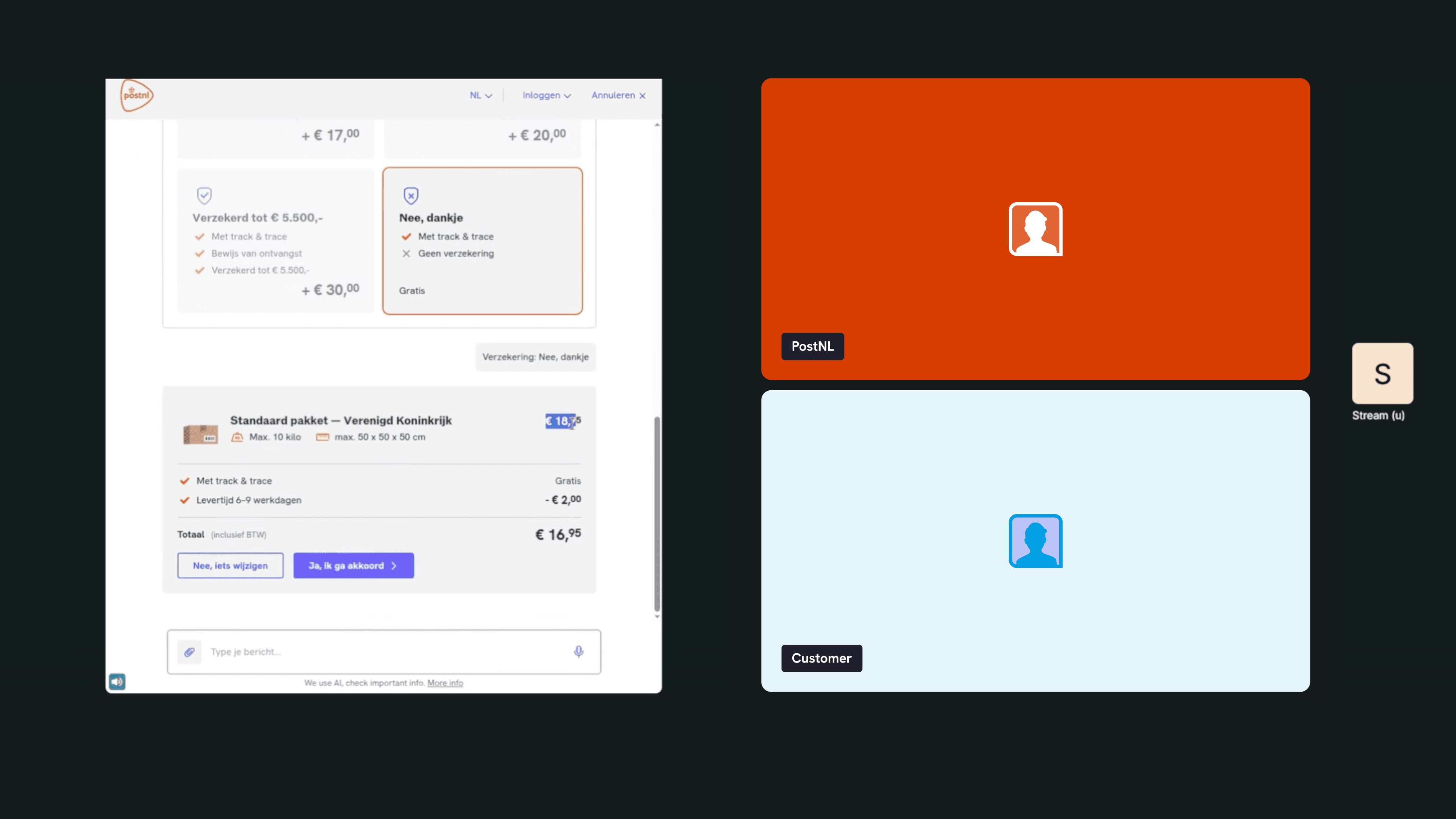
I validated the concept in moderated user tests. Customers had to ship a specific product, without any scripted steps: they could type anything, and the agent responded live. In short, it delivered what we were looking for.

User experience
The power of intent. Early in the conversation, we could really see the strength of the LLM in understanding intent and fetching context.
No loss of speed on the deterministic parts. Users said the widgets felt very familiar, and they liked recognising patterns they already knew.
Seamless switching. Before the test, we were sceptical about switching between chatting and filling in widgets. Users moved seamlessly between "question mode" and "work mode".
It worked for different user groups. Confident users could do it in one prompt, and less AI-savvy users still completed the flow in noticeably less time than with the text-only agent. In that sense, it lowered the bar for people less comfortable with AI.
Technical signals
The focus was on the user perspective, but we could also draw some early technical conclusions:
It works technically. The prototype ran end to end on a lightweight stack, built without engineering capacity.
Fewer turns offset the widget cost. Rendering widgets costs tokens, but that was levelled out by needing far fewer turns.
Fixed formats save tokens. Structured inputs meant fewer free-text messages, which saved the tokens otherwise spent translating what users typed into parameters.
Compared with the text-only agent
Text-only agent | With generative UI | |
|---|---|---|
Cognitive load | Heavy all the way through | Significantly less when context fetching was done |
Capturing intent and context | Strong | Just as strong |
Structured details | Typed in open input, one question at a time | Widgets with familiar patterns, skipped or prefilled where possible |
Less AI-savvy users | Slowed down by a long questionnaire | Completed the flow in noticeably less time |
Conversation length | Many turns | Far fewer turns |
Full insight report
Learnings
The results were positive, but the tests also showed what needs work before this goes to production:
A conversation can still feel long. The flow was more efficient than before, but the natural timeline of a conversation sometimes made it feel long.
Chat text gets skipped in work mode. People had different mental models. While using the widgets they switched to scanning and doing, and often overlooked the supporting chat text.
No sense of progress. People missed the progress or time indicator a normal stepper has, and wondered how long they would need to keep going.
Widgets for editing, too. Users liked filling in widgets, but missed them when they wanted to change something they had already given. Typing the change still worked, but felt inefficient: you had to prompt precisely to change only that one thing.
Accessibility is a blind spot. WCAG needs special attention in the next iteration. A conversation unfolds over time instead of sitting still like a static page, which can cause major accessibility issues.
Most of these point the same way: keep the conversation, but borrow more structure from a classic flow, like visible progress and editable answers.